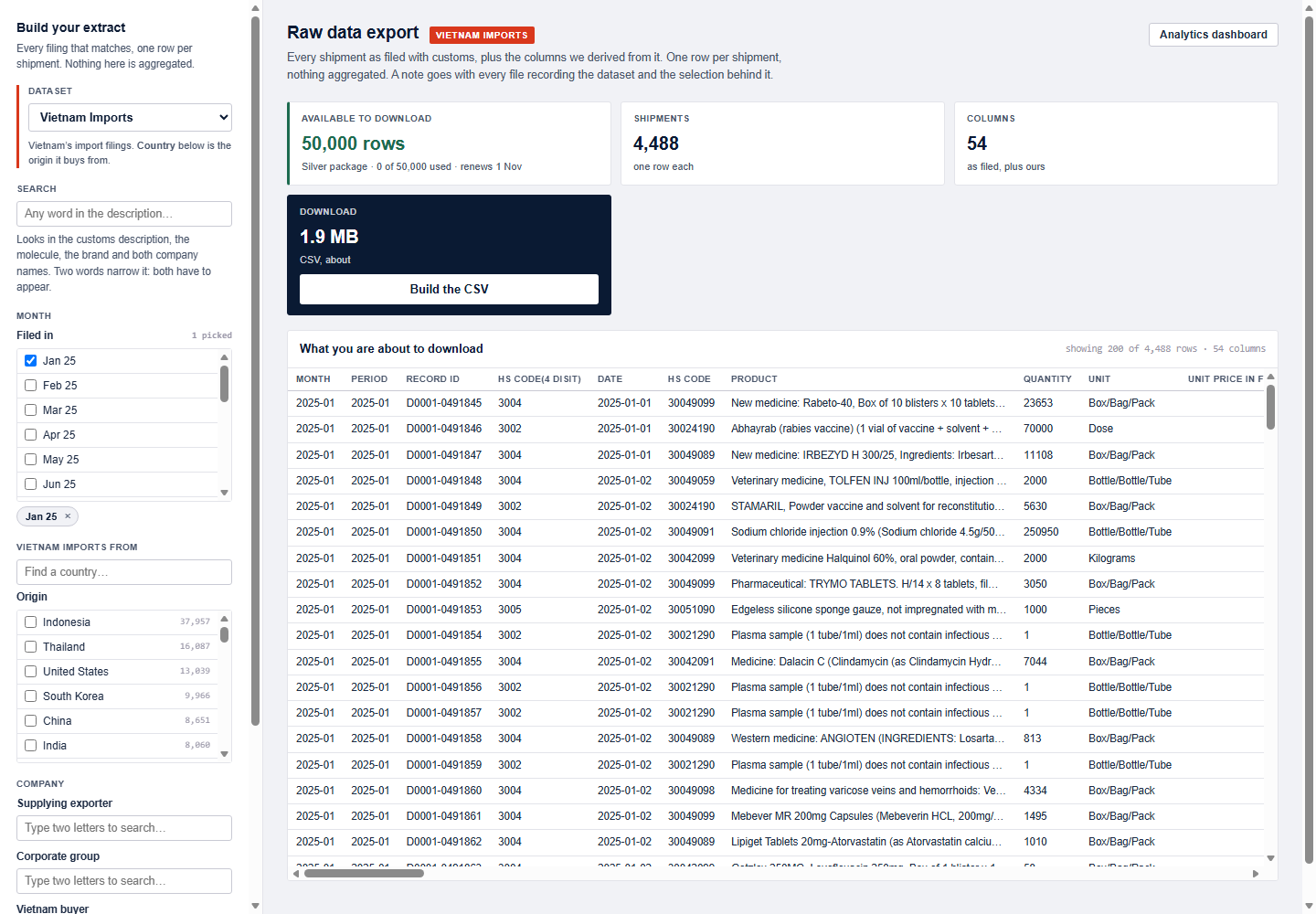
See inside both modules.
EximRx has two modules that read the same filings: an analytics dashboard for answers, and a raw data export for every shipment as filed. The snapshots show one market: Vietnam’s own import filings.
Markets, companies, molecules, rivals and deep dives, each a view of the same market.
Every shipment as filed, filtered and downloaded as CSV, within the rows your package allows.
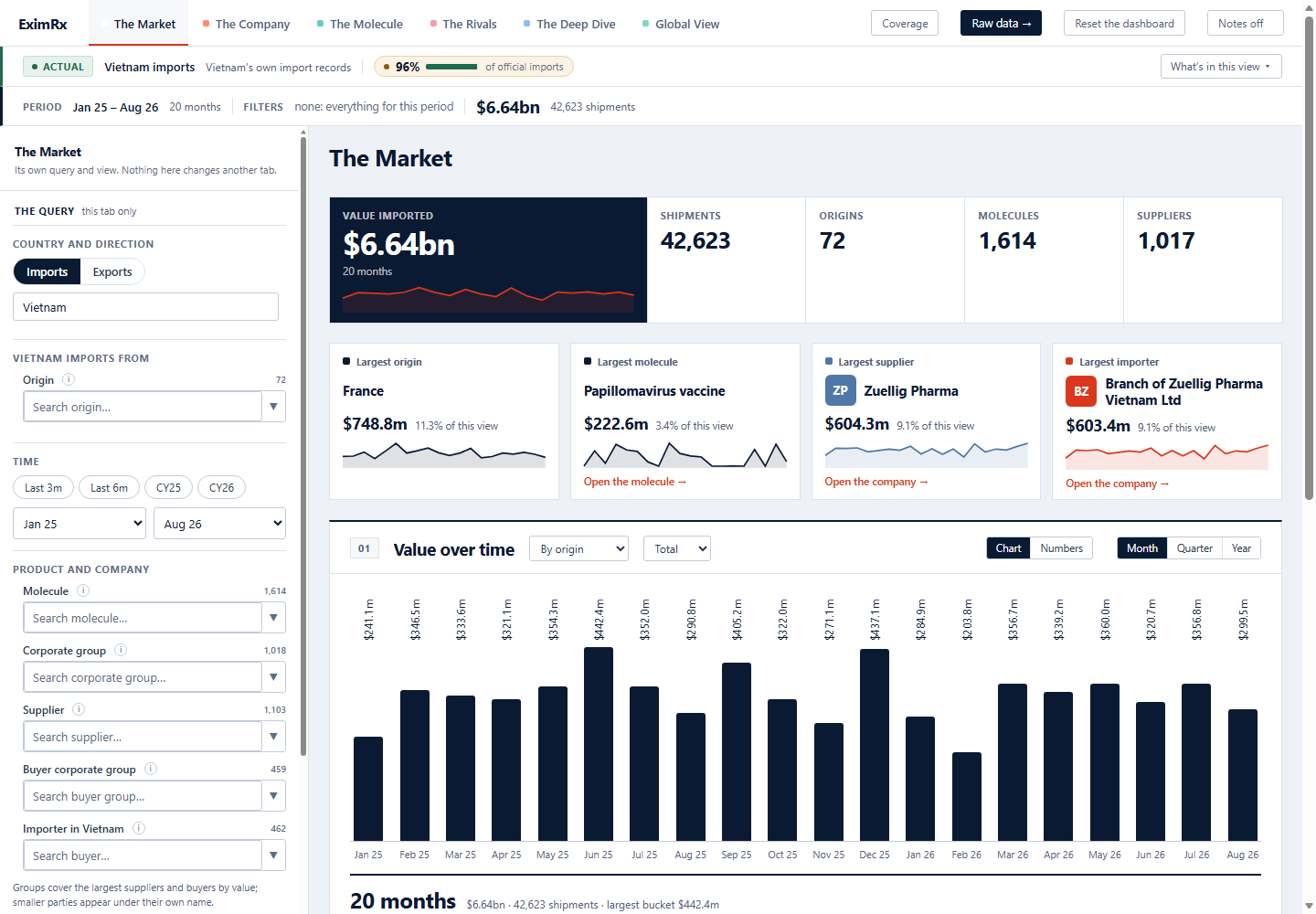
The Market
How big is this market, and who and what leads it?
The whole market for the period and filters you choose, on one page.
- Value imported, shipments, origins, molecules and suppliers
- The largest origin, molecule, supplier and importer, each with its share
- Value over time by month, quarter or year, split the way you need
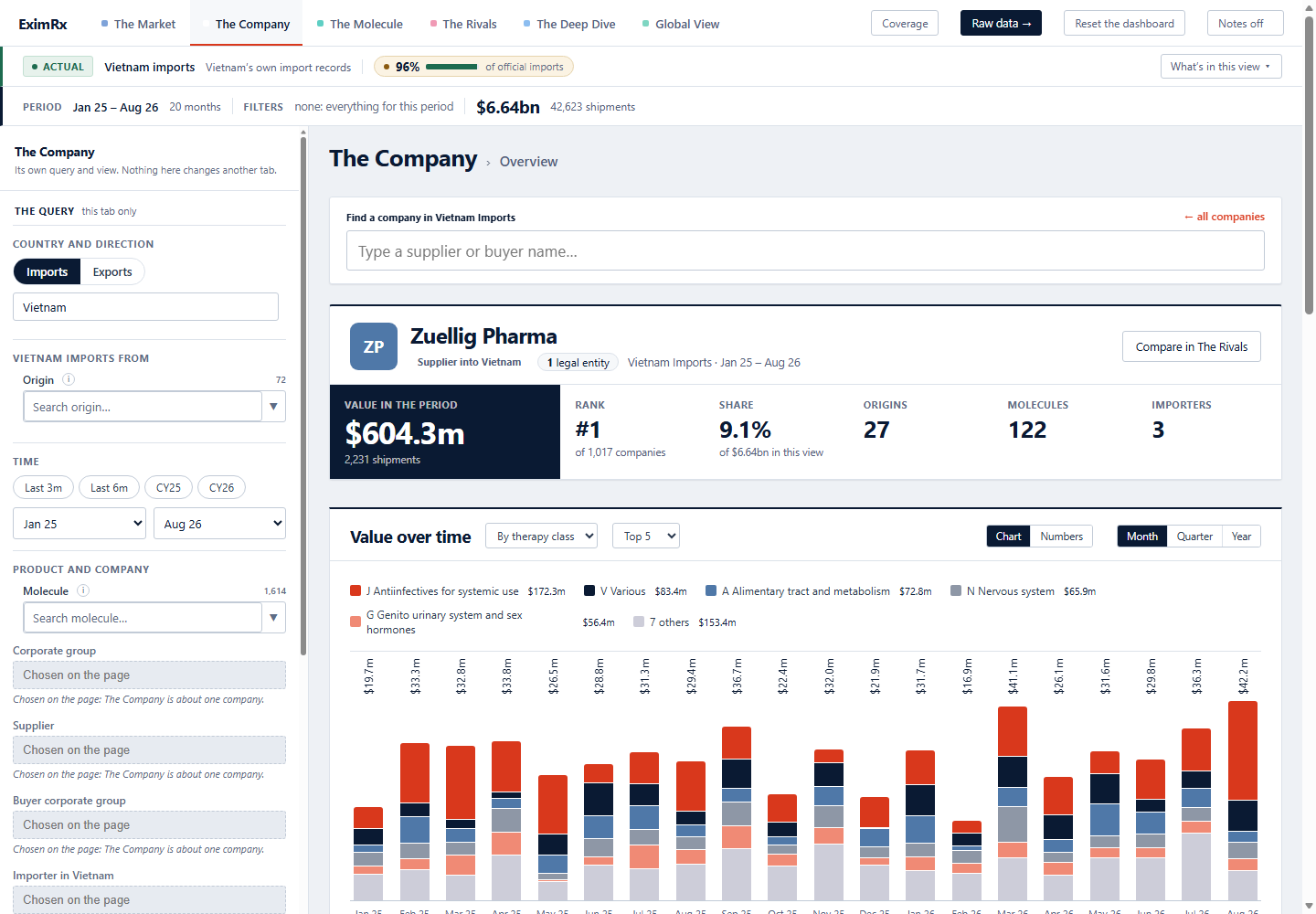
The Company
What does this company sell here, and to whom?
One supplier or buyer, with every legal entity rolled into its corporate group.
- Value in the period, rank among all companies and share of the market
- The origins, molecules and importers behind that value
- Value over time by therapy class, with links to its products and importers
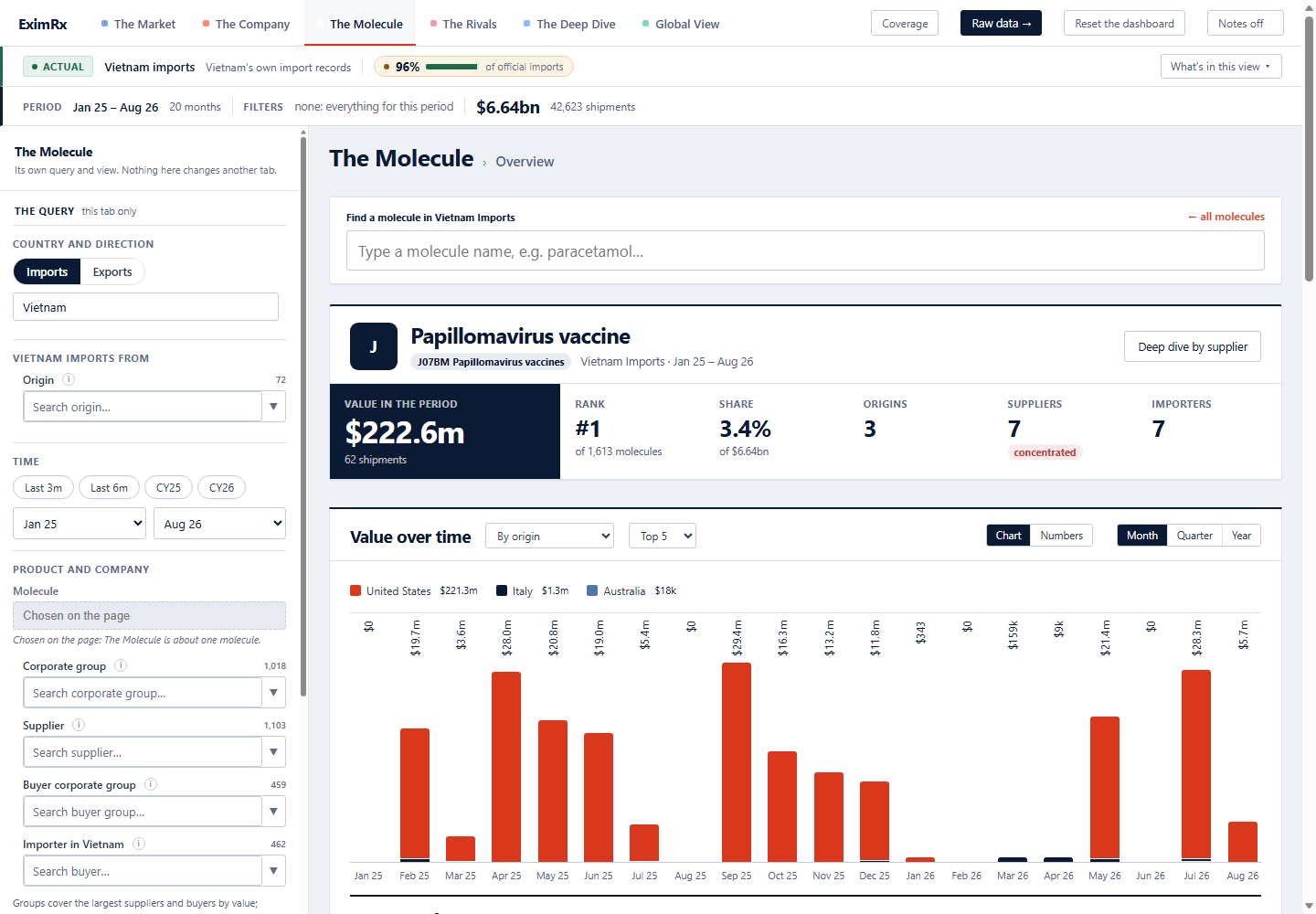
The Molecule
Who supplies this product, from where, and how concentrated is it?
One molecule in one market, with its therapy class.
- Value, rank among all molecules and share of the market
- Origins, suppliers and importers, with a flag when supply is concentrated
- Value over time by origin, then importers, dose form and brand
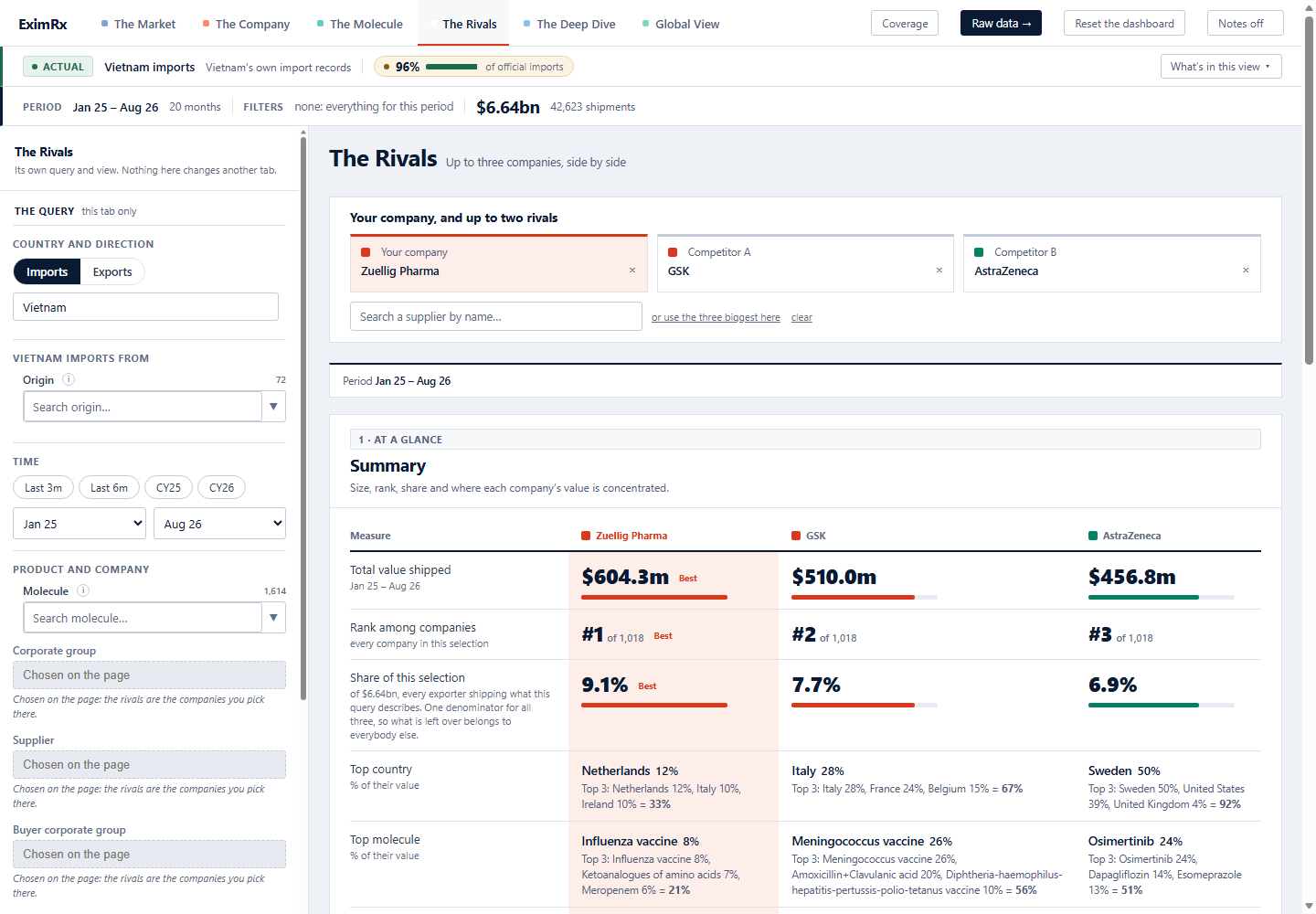
The Rivals
How do we compare with the two companies we watch?
Your company and up to two rivals, side by side on the same measures.
- Total value, rank and share of the selection
- Where each company's value is concentrated, by country and by molecule
- Reach: countries, molecules and named buyers
The Deep Dive
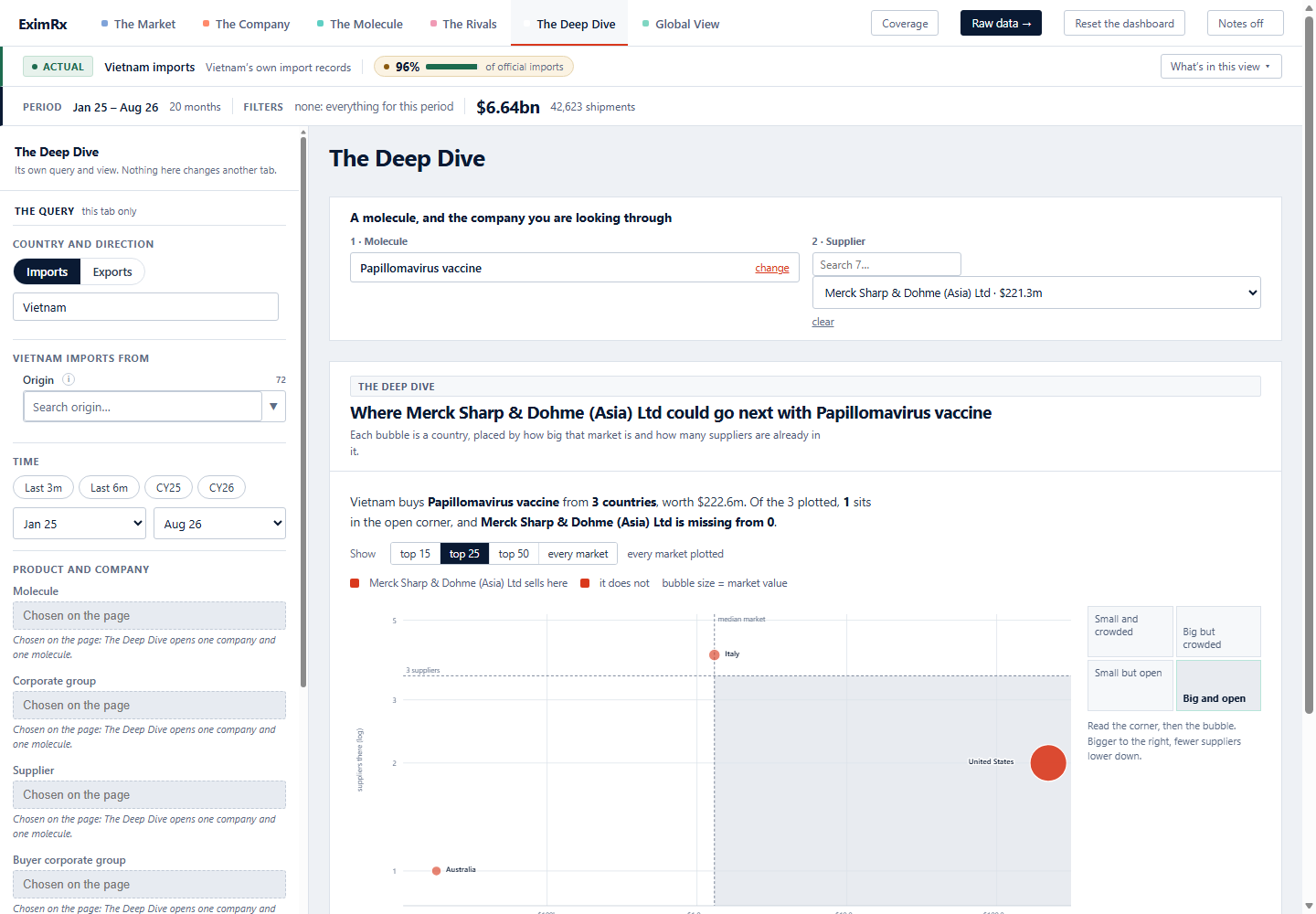
Where could this supplier go next with this molecule?
Pick a molecule and a supplier, and see the open ground.
- Each bubble is a country, placed by market size and by how many suppliers are already in it
- The corner that is big and open is marked
- A table of that corner: market, suppliers, your share and your rank
The raw data export
Choose a dataset, build your extract by month, country, company or any word in the description, preview what you are about to download, then take the CSV. The page shows how many rows your package leaves to download.